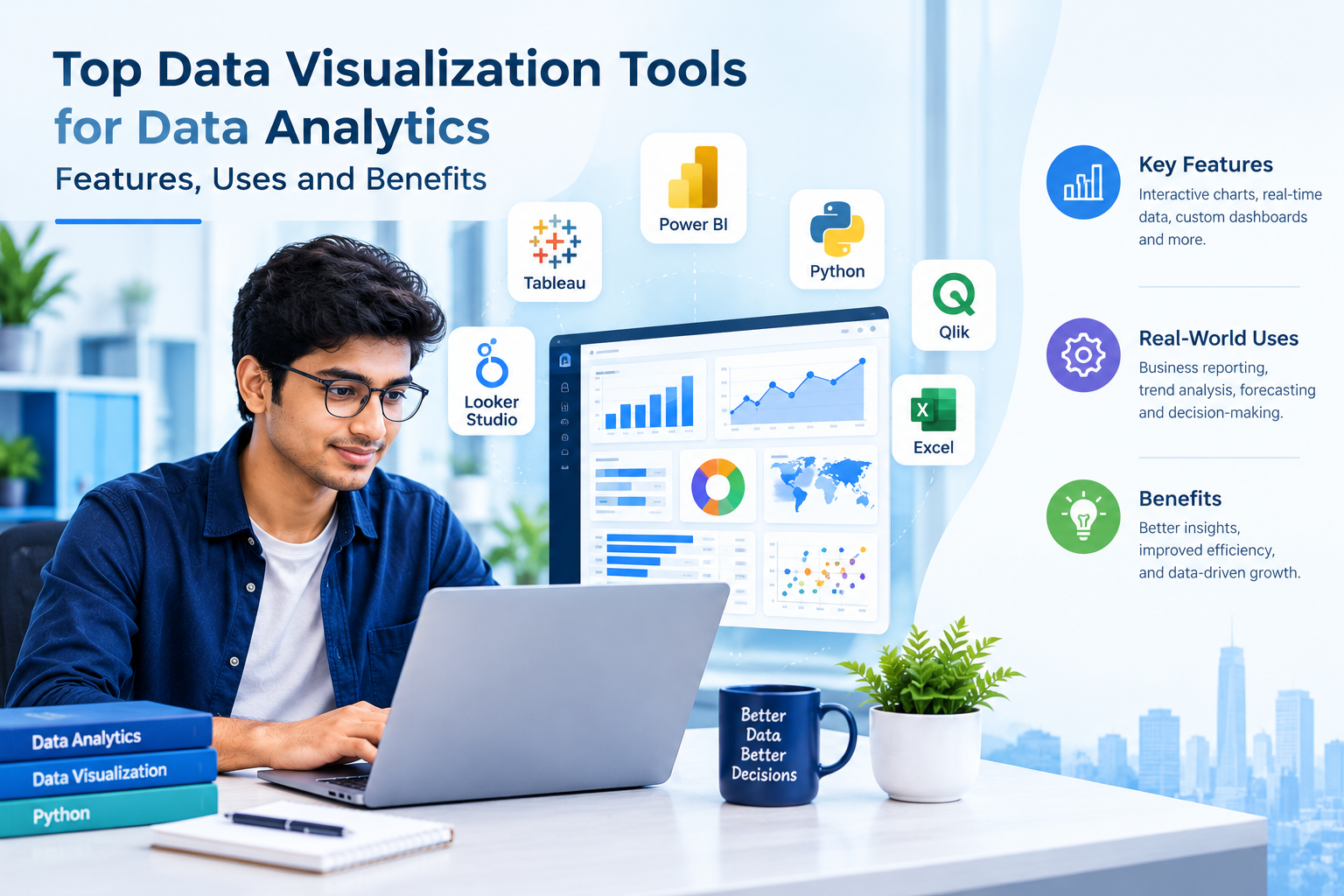
Businesses generate large amounts of data through customer transactions, websites, applications and daily operations. However, raw data is not always easy to understand. Data visualization helps transform complex information into charts, graphs and dashboards that make patterns, trends and business performance easier to interpret.
Today, data visualization tools are widely used in business intelligence, marketing, finance, healthcare and technology. These tools help professionals identify opportunities, monitor key performance indicators and communicate findings effectively.
For learners exploring Data Science training in Bangalore, understanding data visualization is an important step towards developing practical data analytics skills. Popular tools such as Power BI, Tableau, Python libraries and Microsoft Excel offer different capabilities depending on the project and business requirements.
What Is Data Visualization?
Data visualization is the graphical representation of information using charts, graphs, maps and dashboards. It allows users to identify trends, compare categories and understand relationships without examining every individual record.
For example, an organisation can use a sales dashboard to compare monthly revenue, identify its best-performing products and monitor regional performance. A healthcare organisation may use visual reports to analyse patient volumes, while a marketing team can track campaign performance.
Effective visualization depends on accurate data, suitable chart selection and clear presentation. A visually attractive dashboard can still be misleading if its data is incomplete or its scales are poorly designed.
Top Data Visualization Tools for Data Analytics
1. Microsoft Power BI
Power BI is a business intelligence platform used to create interactive reports and dashboards. It can connect to various data sources and help users combine information for analysis.
Its features include data transformation, interactive filtering, calculated measures and dashboard reporting. Power BI is useful for sales analysis, financial reporting, operational monitoring and performance tracking.
Learners interested in business intelligence can benefit from understanding how to prepare datasets, create meaningful visualizations and communicate insights through reports.
Best suited for: Business dashboards, KPI tracking and organisational reporting.
2. Tableau
Tableau is a data visualization platform designed to help users explore and present data through interactive charts and dashboards. It supports different data sources and enables users to examine information through filters, dimensions and measures.
Tableau is useful when analysts need to investigate patterns, compare business segments or present findings to stakeholders. Its visual exploration capabilities make it relevant to business intelligence and analytical reporting.
Best suited for: Interactive dashboards, exploratory visualization and data storytelling.
3. Python Data Visualization Libraries
Python is widely used in data analytics because it combines programming, data processing and visualization capabilities. Several libraries support different visualization requirements.
- Matplotlib: Creates line charts, bar charts, histograms and customised plots.
- Seaborn: Helps create statistical visualizations and examine relationships between variables.
- Plotly: Supports interactive charts that allow users to explore data points and values.
Python visualization is particularly useful when working with datasets that require cleaning, transformation or automated analysis before reporting.
For example, an analyst can use Pandas to prepare monthly sales data and Matplotlib to compare revenue trends. This approach connects data preparation with visual interpretation.
4. Microsoft Excel
Microsoft Excel remains a practical tool for everyday data analysis and reporting. It supports charts, pivot tables, conditional formatting and interactive summaries.
Excel is useful for smaller datasets, quick comparisons and reports that need to be shared across teams. It can also help beginners understand how numerical information can be organised and presented visually.
As datasets and reporting requirements grow, users may combine Excel with Power BI, SQL or Python to build more scalable analytical workflows.
5. Looker Studio and Other Reporting Platforms
Looker Studio helps users build reports and dashboards from supported data sources. It is particularly useful for presenting website, marketing and business performance metrics.
Other analytics platforms may offer automated reporting, data integration and collaboration features. The appropriate tool depends on the data sources, reporting requirements, budget and technical skills of the users.
How to Choose the Right Data Visualization Tool
The best tool depends on the problem you want to solve. Before choosing a platform, consider the following factors:
Data sources: Check whether the tool connects to your databases, spreadsheets, applications or cloud services.
Ease of use: Beginners may prefer spreadsheet-based charts or visual dashboard platforms, while technical projects may benefit from Python libraries.
Interactivity: Dashboards with filters and drill-down features help users explore data in greater detail.
Automation: Recurring reports may require scheduled refreshes, reusable scripts or automated data pipelines.
Scalability: Consider the size of the dataset, the number of users and the complexity of future reporting requirements.
Understanding the business question should come before selecting the visualization tool.
Why Data Visualization Matters in Data Science
Data visualization is not limited to creating attractive charts. It plays an important role throughout the Data Science workflow.
During exploratory data analysis, visualizations help identify unusual values, distributions and relationships. During machine learning projects, charts can help compare model performance and communicate results. In business intelligence, dashboards make important metrics easier to monitor.
Python, SQL and data visualization tools also work together. SQL retrieves information from databases, Python prepares and analyses datasets, and visualization platforms communicate the findings.
As organizations explore AI and Generative AI applications, the ability to interpret data remains important. Visual reports can help teams monitor outcomes, investigate patterns and evaluate whether an analytical solution is delivering useful results.
Data Science and Data Analytics Training at NUCOT Bangalore
NUCOT provides technology training and services information for learners and professionals exploring technical skills. Those interested in Data Science training in Bangalore can review the available programme information and ask about the current curriculum, training format, practical projects and course duration.
A practical learning pathway may include Python programming, SQL, statistics, data cleaning, exploratory data analysis and visualization. Learners can then progress to machine learning concepts and explore relevant AI and Generative AI applications.
For example, a portfolio project could involve analysing sales data, cleaning records with Python, retrieving information using SQL and creating a dashboard to communicate key findings. Such projects help learners demonstrate their approach to a problem, explain their decisions and document their results.
Before enrolling in a Data Science course in Bangalore, check the syllabus, total fees, course conditions and the exact scope of any placement assistance. Training and placement assistance should not be interpreted as a guaranteed job offer.
Visit the NUCOT official website to explore company and training information.
Conclusion
Data visualization tools help turn raw information into meaningful insights. Power BI and Tableau support interactive business dashboards, Python libraries provide flexible visualization options, and Excel remains useful for everyday reporting.
Learning these tools alongside Python, SQL and analytical fundamentals can help learners understand the complete data workflow. For anyone considering Data Science training in Bangalore, combining technical knowledge with practical projects is a valuable way to develop data analytics skills and prepare for further learning in machine learning and AI.